Tools / TumbleRig / Rig Tools / Nodes
Apex Sim Switch
The character's Sim switch: Scene, Start, Fwd, Live, Off, Quasi.
- Access
- Free
- Node version
- 1.0
- Package
- TumbleRig
- Houdini
- 22.0+
Overview
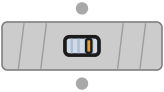
A board of six cells beside the character sets the update mode of every simulating node of this character (Attribute History, motion effects, a SOP
- Scene (default): the scene's setting (the Sim chip in Animate's header, the Sim button on the tab bar, the playbar's TumbleRig Sim Update).
- Start, Fwd, Live, Off, Quasi (Quasi-Static: the Wobl flesh follows the pose and settles with no jiggle; motion effects and Attribute History take it as Off): this character only, overriding the scene. Keyable like any control.
Every simulating node already ends with this node: the first one in a chain makes the board, the others find it and wire themselves to it. A node set to its own Update Mode keeps that.
Recipes
Version notes
- Level 2 families: the empty settings helpers of their compiled builders no longer cook (89 builders in 54 assets)
- Compiled-only rollout, level 2 (batch C): 28 assets run their compiled graphs
- Motion Effects on IK Spline rigs: Lags Behind the body works, loops warn
- Node cache before every Output of 96 assets: a reopened scene reads a node's result without cooking what is above
- Switches that read geometry become Switch-If tests (9 assets), rule time-dependence/switch-expression
- Sim board: every sim's update mode on one 2D board in the viewport's footer
- Sim Switch: the board read at one fixed frame (it rebuilt the rig it ends on every frame change in the GUI)
- Sim switch: the handle opens on the Wobl node's Update Mode, and the board decides after that
- Quasi-Static: a scene update mode and a Sim switch cell
- Sim Switch: a per-character Scene / Start / Fwd / Live / Off board