Fit Skeleton Markers
Build a skeleton by moving its joints in the front view.
- Access
- Free
- Node version
- 1.7
- Package
- TumbleRig
- Houdini
- 22.0+
Overview
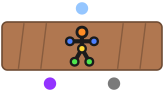
every joint shows at a guess from the character height. Drag the ones that are off: root, chest, neck, head, hips, ankles, clavicles, shoulders, wrists. With Mirror on, one side moves both.
Knees and elbows always sit on their limb (the middle unless moved). Click one for its three handles: Along (slides it along the limb), Bend (the way the limb bends; seen from the side or in perspective) and Out (sideways; seen from the front). Ctrl+click a handle puts it back. The ball has two: Ball (along the foot) and Lift. The toe rides on the ankle; eleven hand joints ride on the wrist: the knuckle and the tip of every finger, and the thumb's base, middle and tip. Drag them like any joint (Hand View frames one hand). The finger joints between are procedural, like Fit Skeleton 3.1's hand: each hand's dot has Fingers, Curl, Curl Falloff, Palm Cup, Phalanx Ratio, Thumb Curl and Thumb Twist (curl bends the fingers and keeps the tips where they are). The dot beside the spine has Spine Segments and Neck Joints.
Hand End, a control past the fingertips, is what the wrist aims at: move it and the whole hand turns with it. A fingertip you haven't moved sits at the end of its finger as Curl bends it, so the default hand hangs relaxed.
Each finger also has an in-between control (its middle joint; the thumb's last one). Unmoved it follows the sliders; drag it to set that finger's ratio and the way it curls. It rides on the finger's knuckle and tip.
Tweak mode (T in the viewport) shows the result joints: drag one to add an offset to it (only that joint moves; the bones re-aim). Ctrl+click a tweaked joint, or Clear Tweaks in the panel, takes the offsets off. They are listed under Joint Tweaks.
Nothing is fitted to the mesh: every joint is where you put it, all in one depth plane (the middle of the character), so the skeleton stays straight. Side View: drag a joint forward or back to set its depth.
The output has Fit Skeleton 3.1's joints, names, hierarchy, joint frames, groups and attributes, so nodes built for 3.1 read it unchanged.
Face
Face (Face folder) adds what every head has, under the head: a jaw (Jaw pivot -> Chin: jaw, jaw_END), the eyes (l_eye, l_eye_END, a look point in front) and the ears (Ear -> Ear Tip, Joints 1 to 4). Face View (5 in the viewport) frames the head and shows only these markers. Their guesses are measured on the mesh: the chin where the underside of the jaw turns to the front, the jaw pivot in front of the ears, the eyes behind the face's front. Eyes From Mesh fits each eye centre to the eyeballs (a group or pattern, e.g. eyes or @name=eyeBalls); Ears From Mesh takes each ear's base and tip from the ears. A nose, hat, horns or a tongue are the character's own: add them afterwards (the Skeleton Builder).
Body: Head Only (Joint Set) is for a character that is only a head: the head is the root (or a neck at the bottom of the mesh when it has one, a bust), with no spine, arms or legs. Set Head Top when a hat or hair sits above the skull: the face guesses measure from it.
The character must stand on the ground, face +Z and be centred on x = 0.
Inputs and outputs
Inputs
The character mesh (its bounding box sets the height, the ground and the depth plane).
Outputs
The character stream: an FK rig (TH Apex Joints) on the fitted skeleton, and the character mesh as Base.shp. Show Invoked Rig (on by default) shows it evaluated in the viewport, with the mesh.
The fitted skeleton at rest: the same joints and frames as Fit Skeleton 3.1, ready for capture or another rig.
Recipes
Version notes
- Fit Skeleton Markers 1.7: Drag Hold, drags in the tool ~3x faster on Tommy
- Node cache before every Output of 96 assets: a reopened scene reads a node's result without cooking what is above
- Fit Skeleton Markers 1.6: Hands = Wrist Only, arms that stop at the wrist
- Fit Skeleton Markers 1.5: Palm Joints, a joint per finger inside the palm; Cup and Spread slider recipe
- Display tap: switchif_viz reads has_viz_shp without an expression, in every asset
- Chains Phase F: Fit Skeleton Markers 1.4 (Face on), Figure / Spider / Frog on joint chains; Figure and Spider on Apex Primitives 1.2
- Pose store frame 1001: no more time-dependent Show Invoked branch
- Skeleton Doctor instead of SideFX Rig Doctor: rigs no longer recook on every frame in the GUI
- Name the new version in the DialogScript header of Markers 1.3, Fit Skeleton 3.2, Apex Tags 1.1, Skeleton Builder 1.2
- Joint chains Phase 2 writers: Fit Skeleton Markers 1.3, Fit Skeleton 3.2, Skeleton Builder 1.2
- Fit Skeleton Markers 1.2: Look Targets (eye_look, l_eye_look, r_eye_look) for Eye Rig 2.0's look
- Fit Skeleton Markers 1.2: Face step (jaw, eyes, ears) and Head Only